Getting Started with Shopdeploy
Congratulations on signing up for Shopdeploy! This guide will walk you through the process of integrating Shopdeploy with your Takealot Seller Account by using an API Key. This key allows Shopdeploy to securely access and manage your products, orders, and more.
Step 1: Retrieve Your Takealot API Key
The first step is to obtain your Takealot API Key, which enables secure communication between Shopdeploy and your Takealot Seller Account.
How to Retrieve Your API Key:
Log into the Takealot Seller Portal: Go to the Takealot Seller Portal and sign in with your credentials.
Navigate to API Integrations: Once logged in, find and click on
API Integrationsfrom the sidebar menu.Access Seller API Settings: Click on
Seller API, then scroll down to theAuthenticationsection.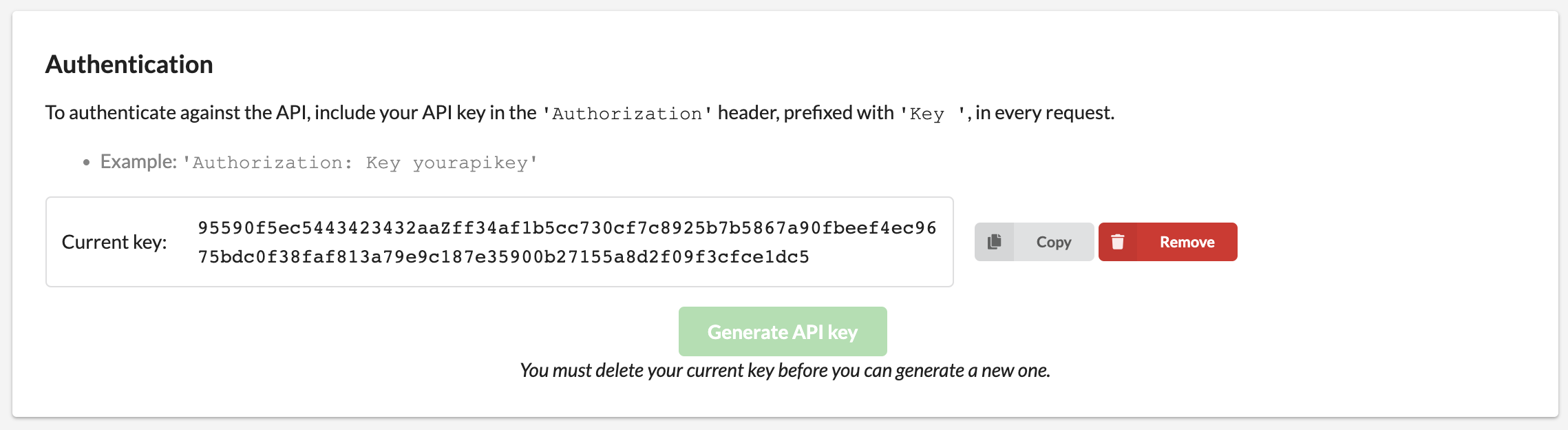
Generate a new API Key: If no other services have access to your account, and you wish to generate a new API Key:
- Click
Removeto delete the current key. - Click
Generate API Keyto create a new one. - Click
Copyto copy the API Key to your clipboard.
- Click
Step 2: Log into Shopdeploy
With your API Key copied, you're ready to connect your Takealot Seller Account to Shopdeploy.
- Navigate to Shopdeploy: Open your web browser and go to Shopdeploy.
- Sign In: Follow the prompts to log in to your Shopdeploy account.
Step 3: Enter Your Takealot API Key
The final step is to link your Takealot Seller Account with Shopdeploy using the API Key.
Paste Your API Key: In the Shopdeploy dashboard, locate the
Takealot Seller API Keyfield.Complete the Setup: Paste the API Key you copied earlier into the field and click
Finish.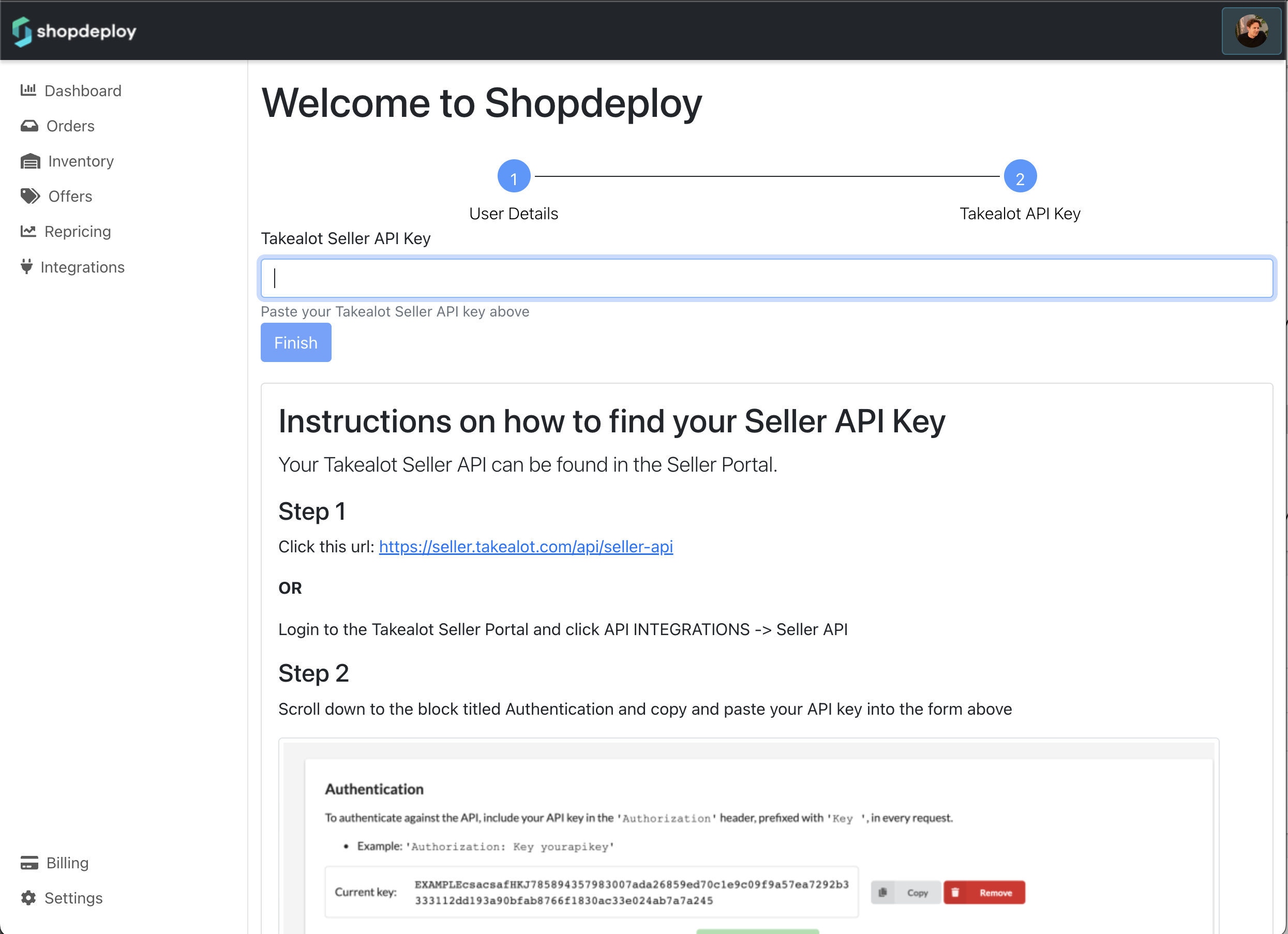
Shopdeploy will now begin syncing with your Takealot Seller Account. This process might take a few minutes as it fetches your products, orders, and other relevant data.
Congratulations! You've successfully integrated your Takealot Seller Account with Shopdeploy. If you have any questions or need further assistance, please refer to our FAQ section or contact our support team.